Connect your application to Intelligence
Five languages.
One Intelligence Runner.
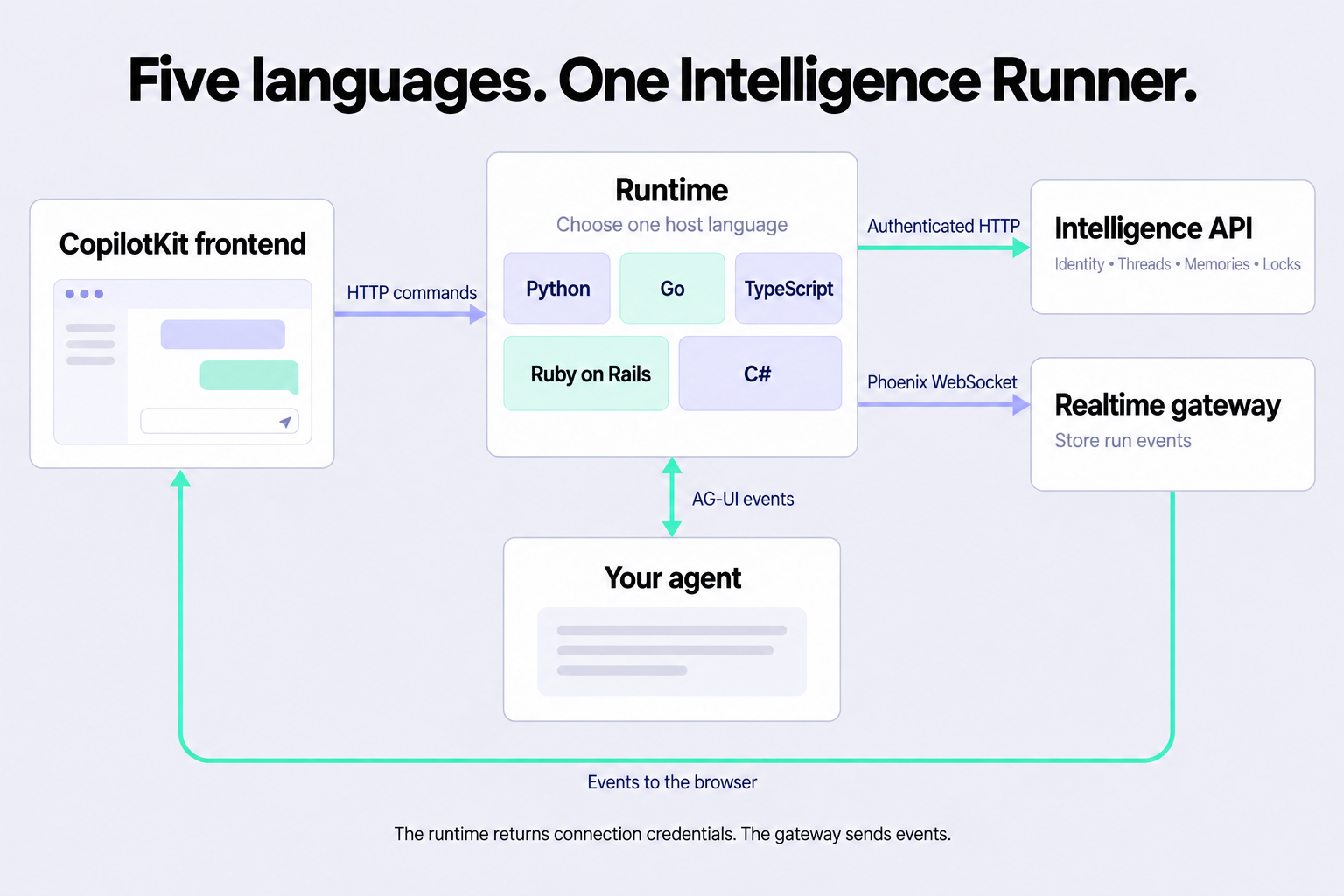
Run your agents in TypeScript, Python, Go, Ruby, or C#. Intelligence stores their events and sends updates to your frontend.
Standalone SDK calls and frontend Runtime routes.
The runtime runs in your application.
The Intelligence SDK works without mounted Runtime routes. Use it from scripts, background jobs, and application services to read threads, use Memory, and record annotations.
Use the standalone SDKYour server authenticates the app user. The runtime finds the thread and joins the Intelligence gateway. Then the runtime runs your agent.
The browser receives credentials for the realtime connection. The runtime does not send its platform API key to the browser.
Use your application’s language
Mount the runtime in your Node, ASGI, net/http, Rails, or ASP.NET Core server. Your host supplies authentication and agents.
Intelligence stores the data
Intelligence stores threads, memories, locks, and run events. Your frontend can reconnect and read the stored event history.
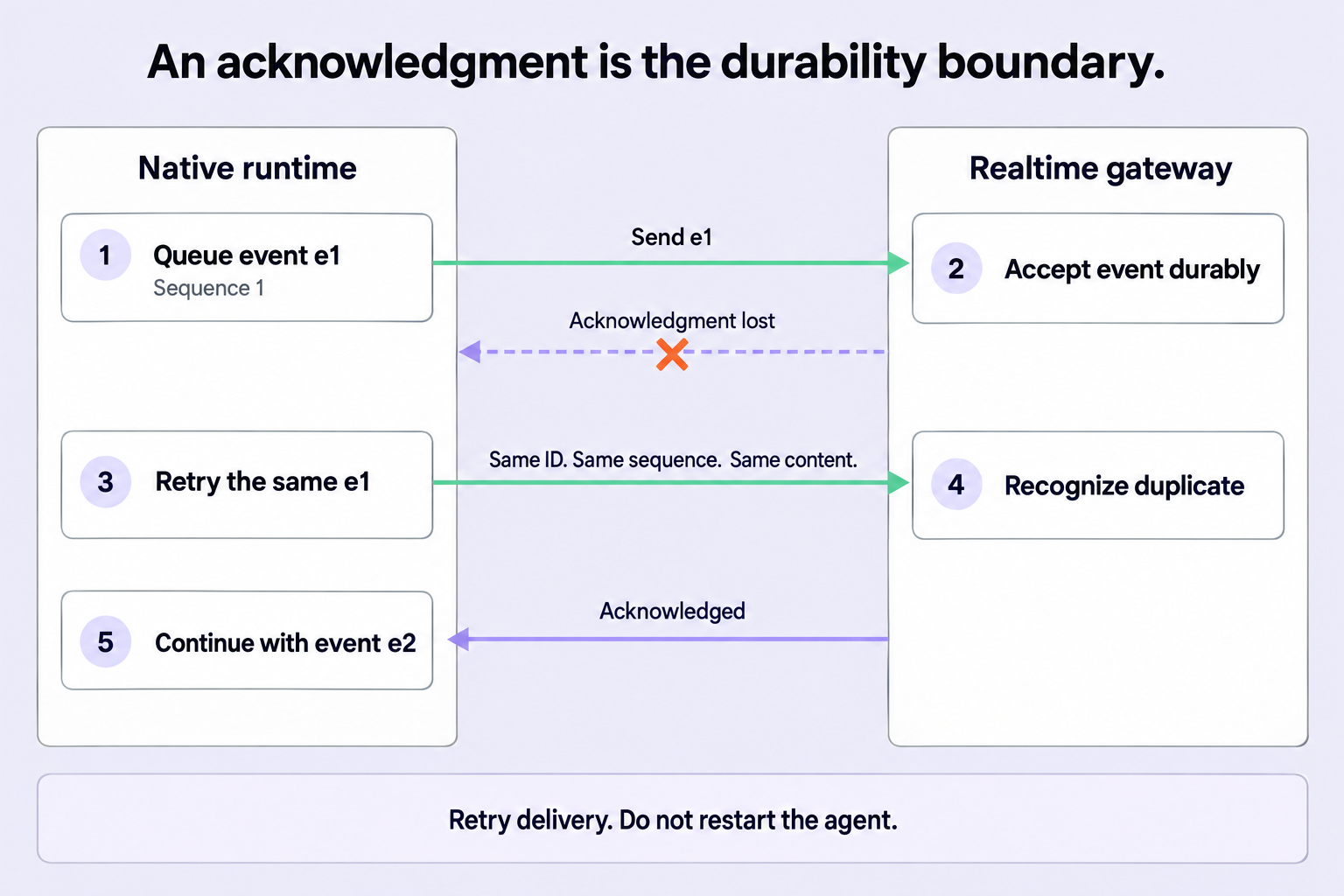
An HTTP response does not prove that the gateway stored an event.
The runtime joins the gateway before it returns run credentials. Each event has a stable ID and sequence number.
If the runtime does not receive an acknowledgment, it sends the same event again. It does not start the agent again.
Intelligence stores UI events too.
A2UI validates the component tree before it sends a UI snapshot. A snapshot contains the components and their data.
MCP Apps finds UI tools on configured MCP servers. MCP Apps runs tool calls. It sends resource requests from the iframe to those servers.
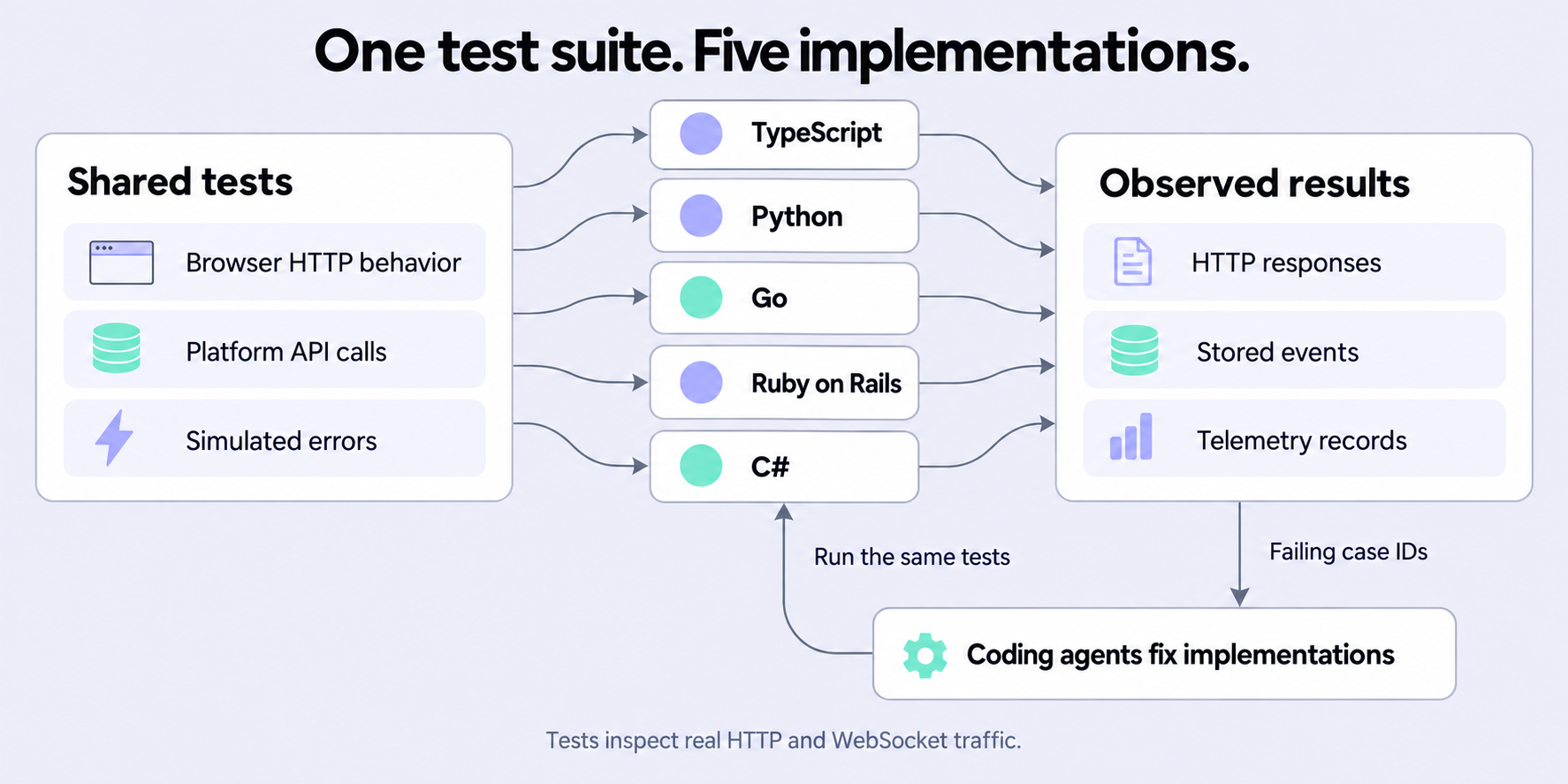
All five implementations passed the shared UI tests. The tests cover A2UI output, MCP tool calls, and iframe access rules.
One test suite checks every language.
The shared test harness starts each runtime. AIMock simulates the agent and MCP servers. A platform fixture simulates the Intelligence API and WebSocket gateway.
Each driver configures only its runtime library. The library handles the requests and sends the events. The harness inspects the results through real HTTP and WebSocket connections.
The same Intelligence APIs in five languages.
Each library provides multi-route Intelligence APIs, A2UI, MCP Apps, and telemetry. The TypeScript runner class is IntelligenceAgentRunner.
Choose the library that fits your server. Your agent produces AG-UI events. Intelligence Runner delivers those events to the platform.
Read pull request #6967Build with your runtime
Use Intelligence without Runtime routes
Call Intelligence from scripts, background jobs, and application services. Add a Runtime when your frontend needs agent runs.
Architecture and ownership
The host authenticates the user. Intelligence Runner sends agent events to the platform.
Run delivery and recovery
An agent runs once. The runner can send the same event again until the gateway acknowledges it.
HTTP API and configuration
Each runtime mounts separate routes under a configurable base path. The shared driver uses /copilotkit.
A2UI and MCP Apps
UI middleware changes agent inputs and events before Intelligence stores them. It does not replace the runner.
Telemetry and privacy
Control analytics sampling and attribution. Keep application diagnostics separate from analytics.
Shared tests and review
A passing suite proves specific behavior. It does not prove production readiness.
Packages and local setup
Choose the library for your server. Each package README provides installation steps and a working example.